찜 목록

전체선택 삭제

톡 상담

톡상담 안내 원활한 고객응대를 위해
카카오톡 1:1 채팅 상담 일시 중단하고,
톡 상담은 챗봇 상담으로만 운영됩니다.

자세한 문의는 고객센터 1544-6698로 문의주세요.

대량 옵셋 상담 기업체, 공공기관, 도서관 등 다량의 도서, 잡지, 인쇄 및 출판이 필요하신 경우 대량 옵셋 전문 담당자와 상담하실 수 있습니다.

대량 옵셋 상담 신청

근무시간(상담 가능 시간) - 평일 09:30 ~18:30
  (식사시간 12:00 ~ 13:00)

- 토/일/공휴일 휴무

- 톡상담이 불가한 경우,
  1:1게시판에 남겨주세요.

이메일 - admin@redprinting.co.kr

입금 계좌안내 IBK 기업은행
513-027986-01-015
(주식회사 베러웨이 시스템즈)

장바구니

전체선택 삭제

예상 결제금액 0

to top

L-folder

Recommended Product

Note

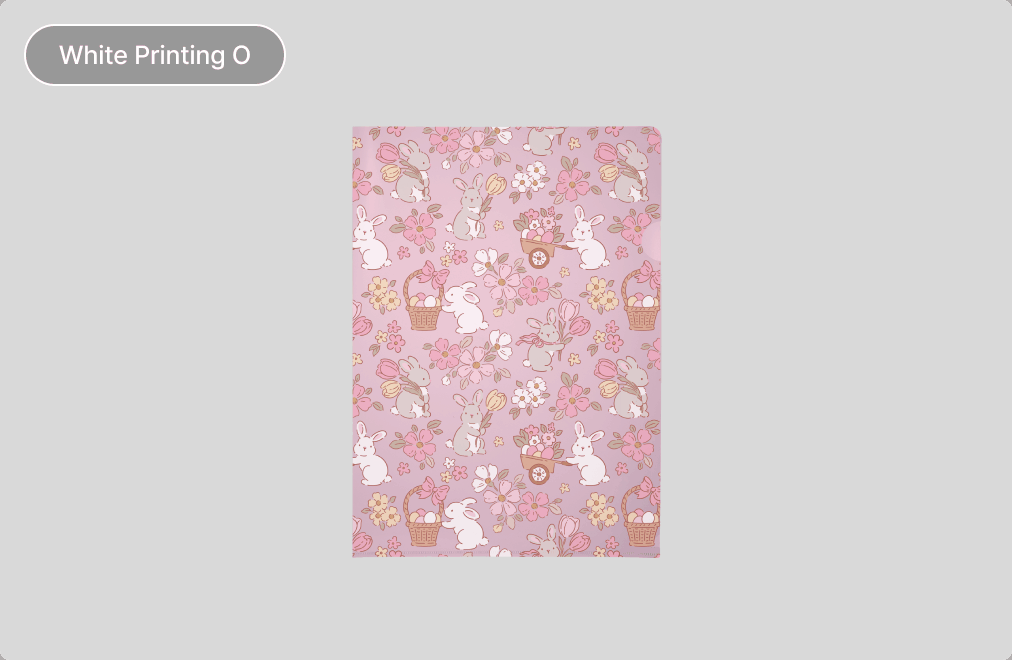
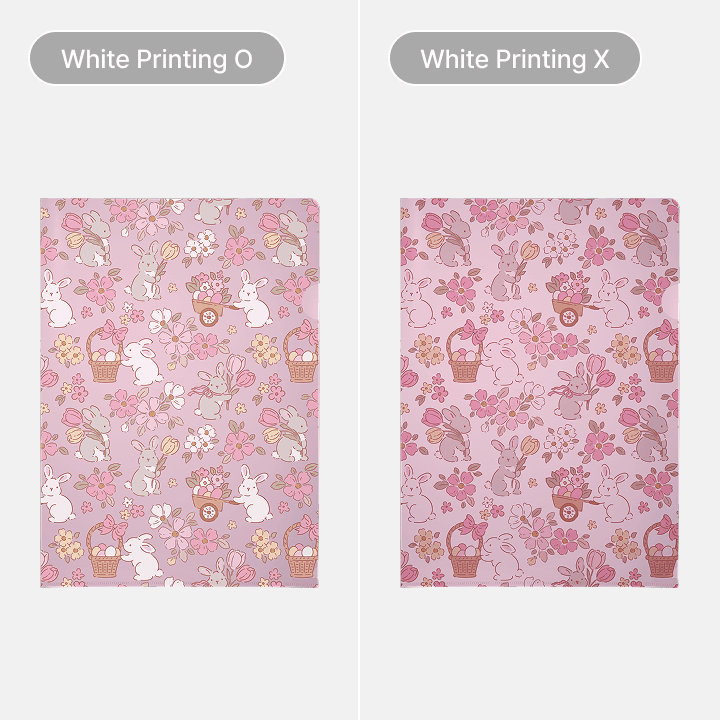
White Printing O
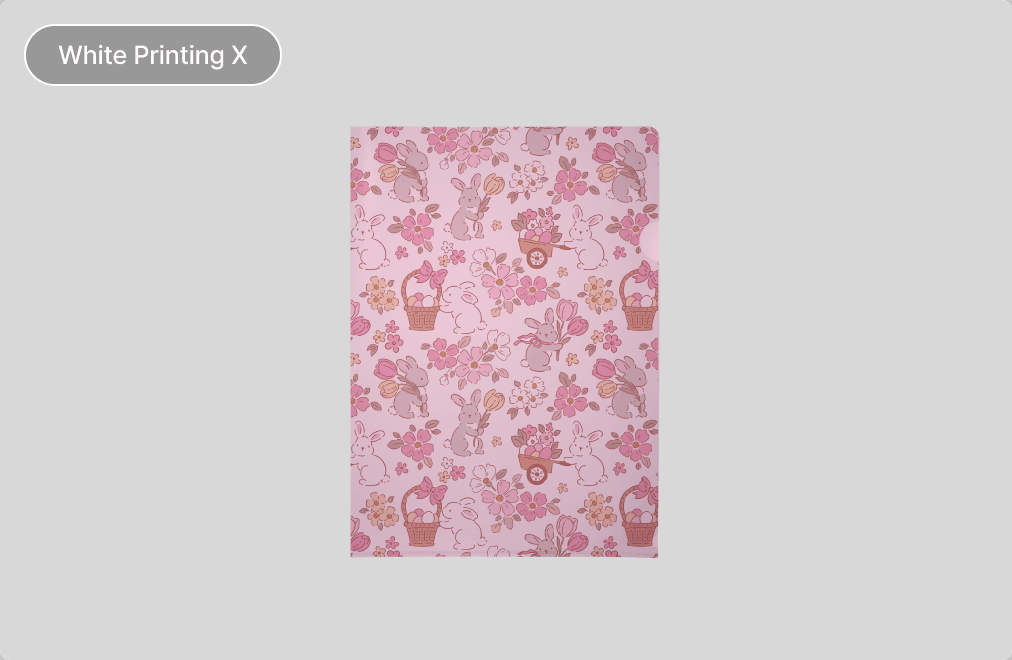
White Printing X

Clarity of the printed output depends on the white ink printing selection.
White Printing O : Vivid printed design on front / White on back
White Printing X : Translucent printed design on front / Translucent on back

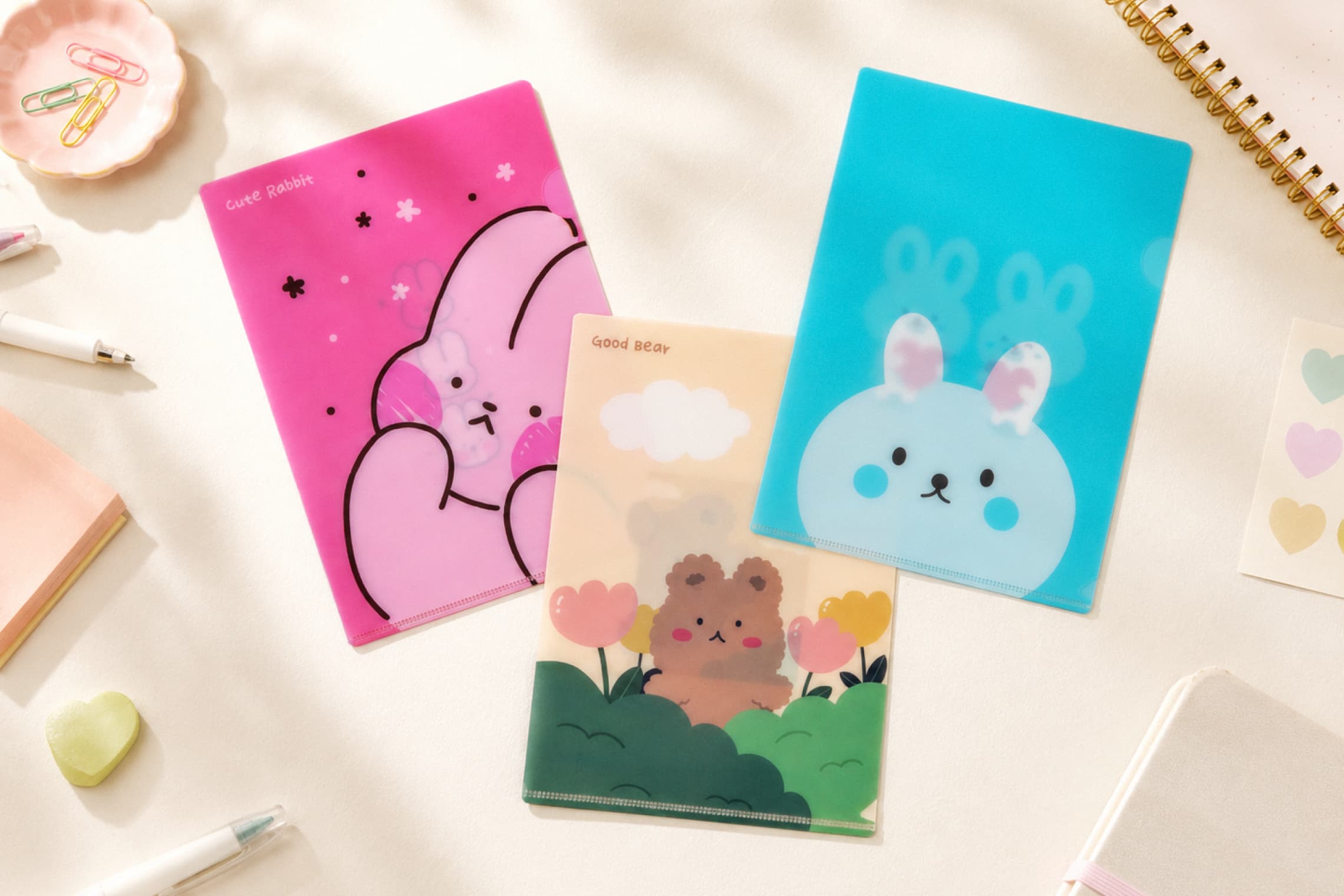
L-folder

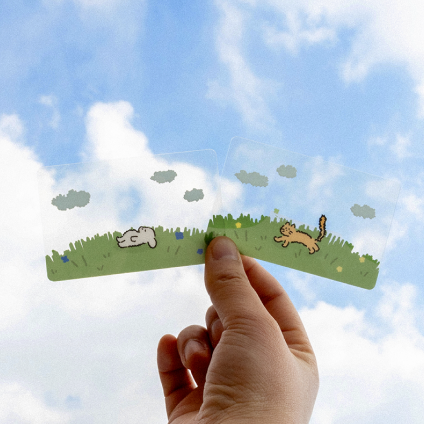
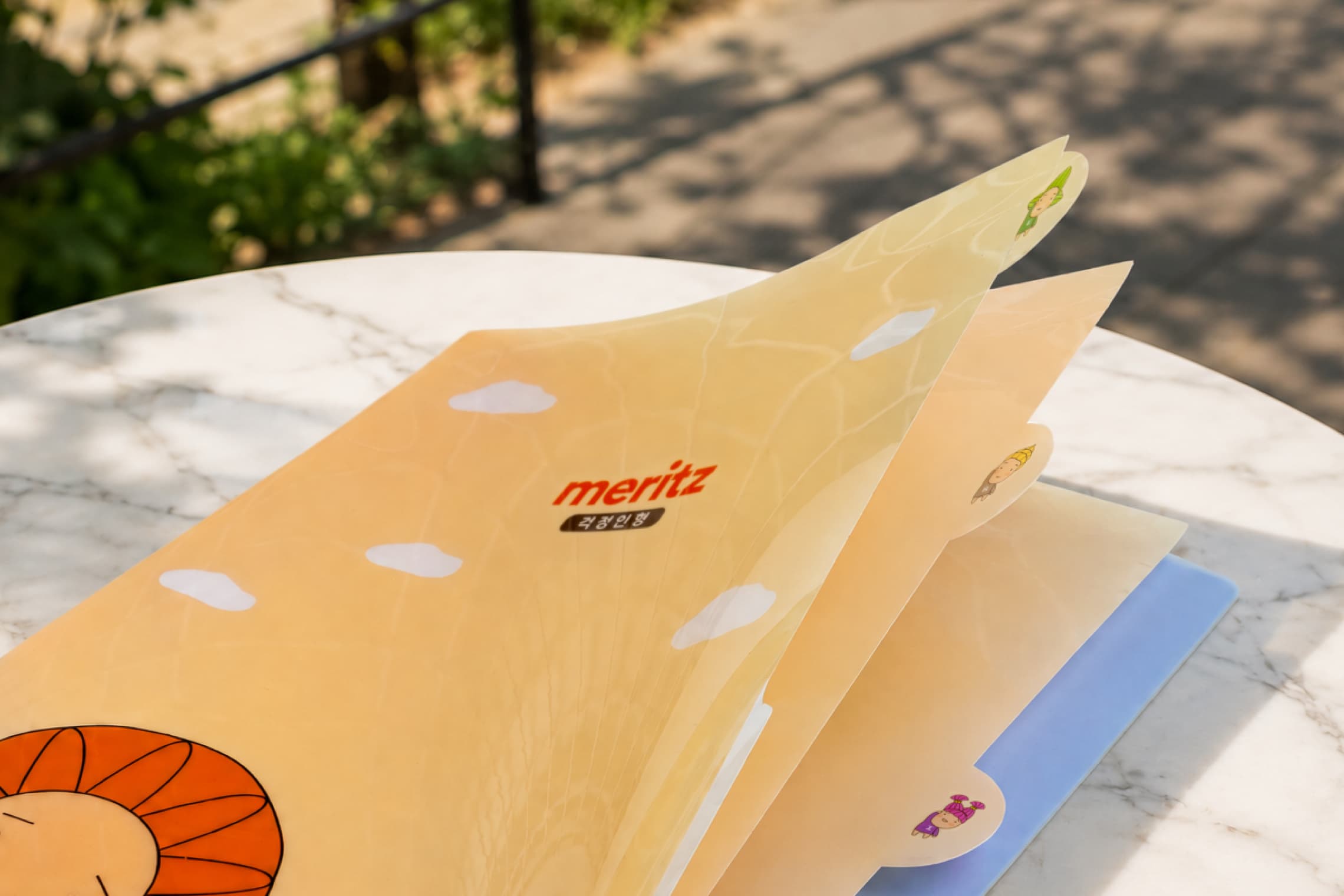
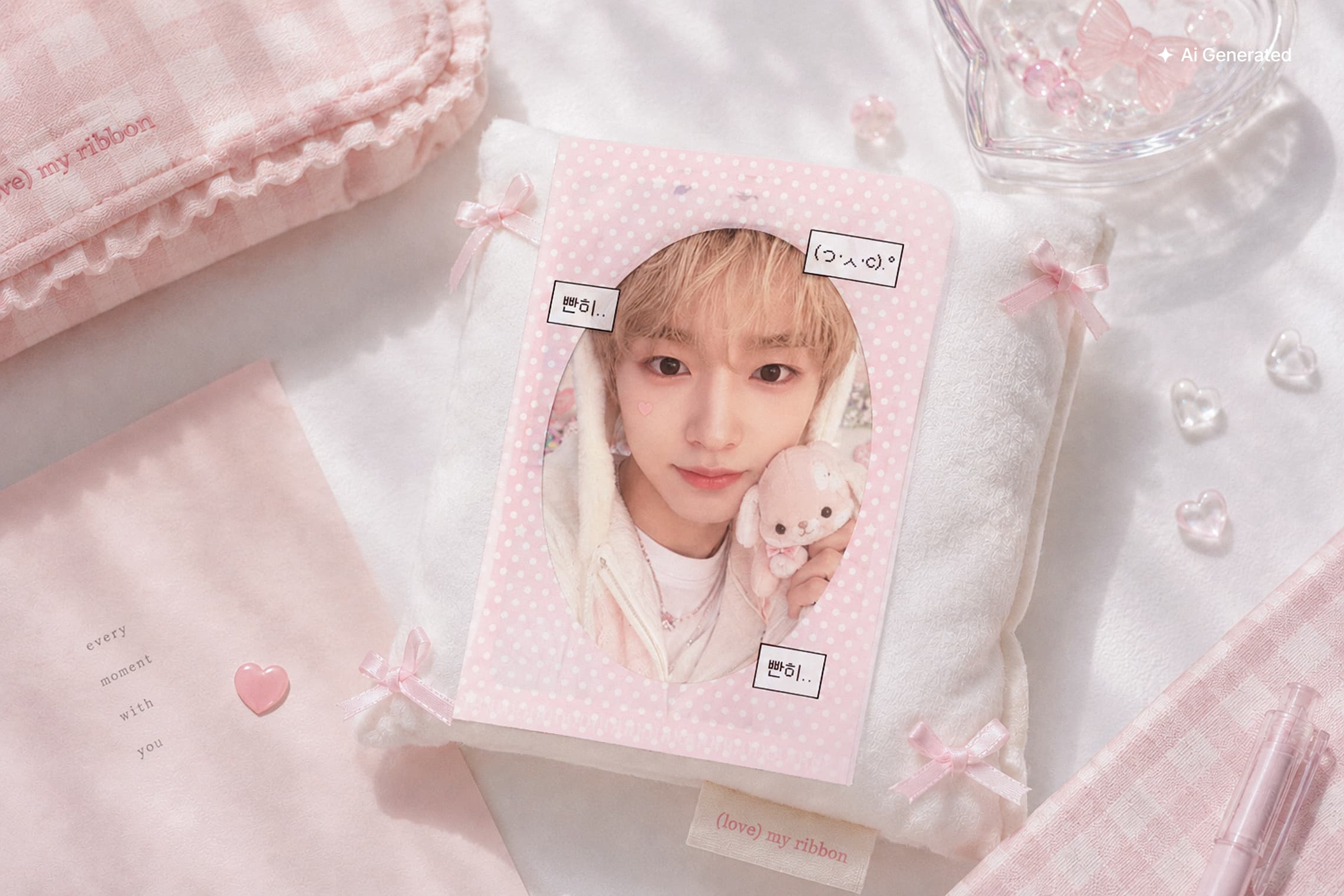
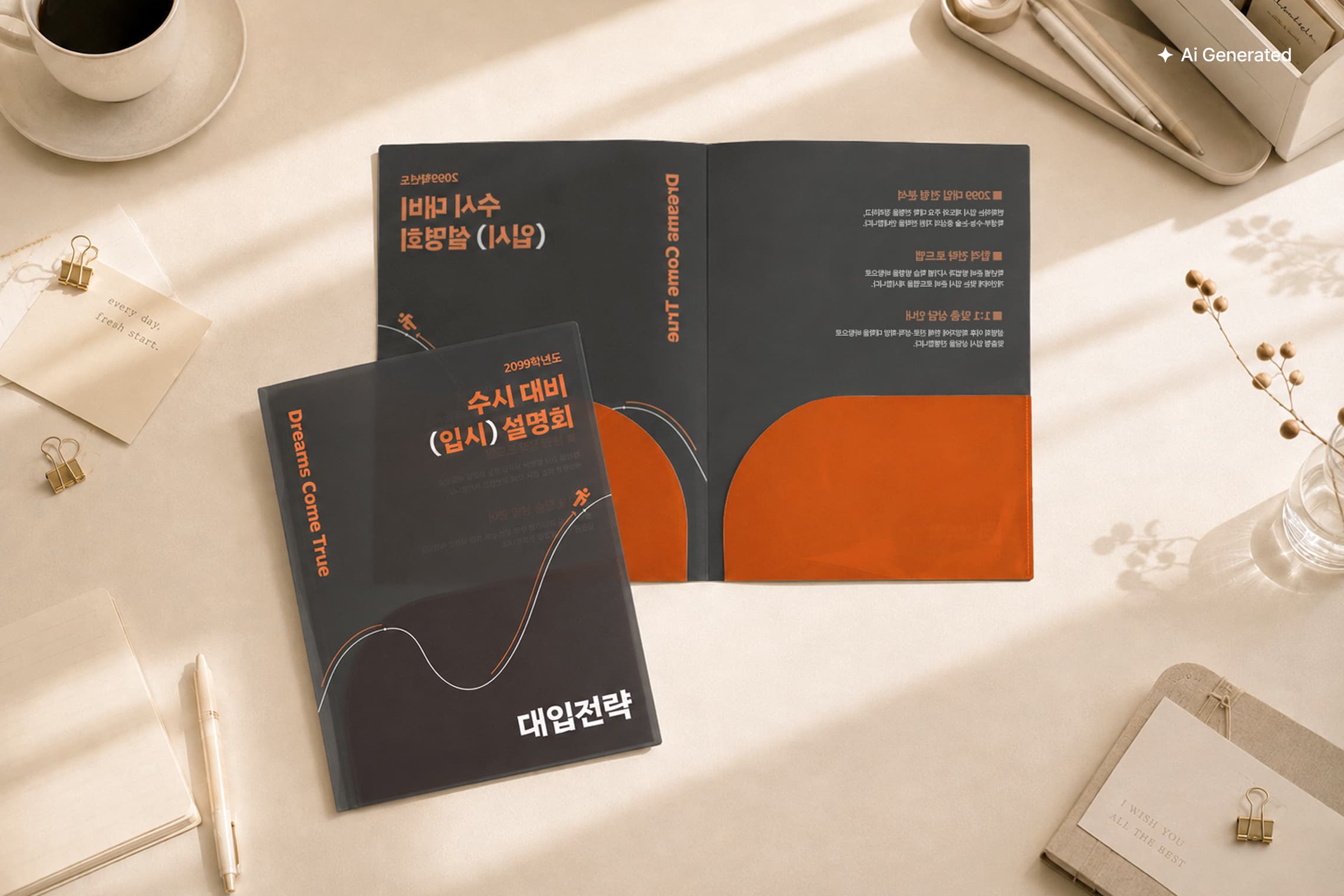
Designed to store a variety of documents

L-folder main 1
L-folder main 2
L-folder main 3
L-folder main 4
icon_arrow
icon_arrow

Product Features

  • Material & Thickness

    Material & Thickness

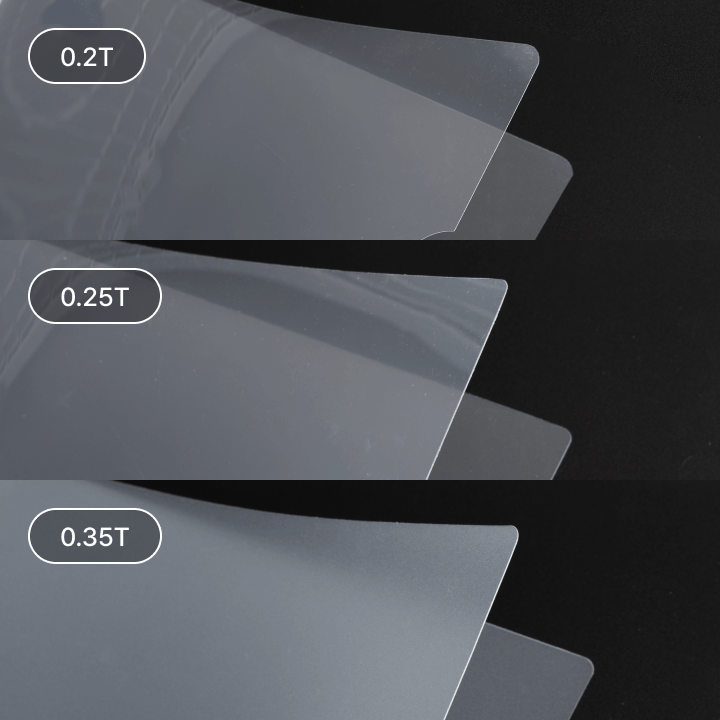
    PP (Polypropylene), Translucent 0.2 / 0.25 / 0.35T
    Made from durable, water-resistant PP material.
    Lightweight and practical, PP is widely used for stationery and everyday items. Transparency and texture vary depending on the thickness.
    The thinner 0.2T is relatively transparent, while 0.35T has a subtle translucent finish.

  • Sizes

    Sizes

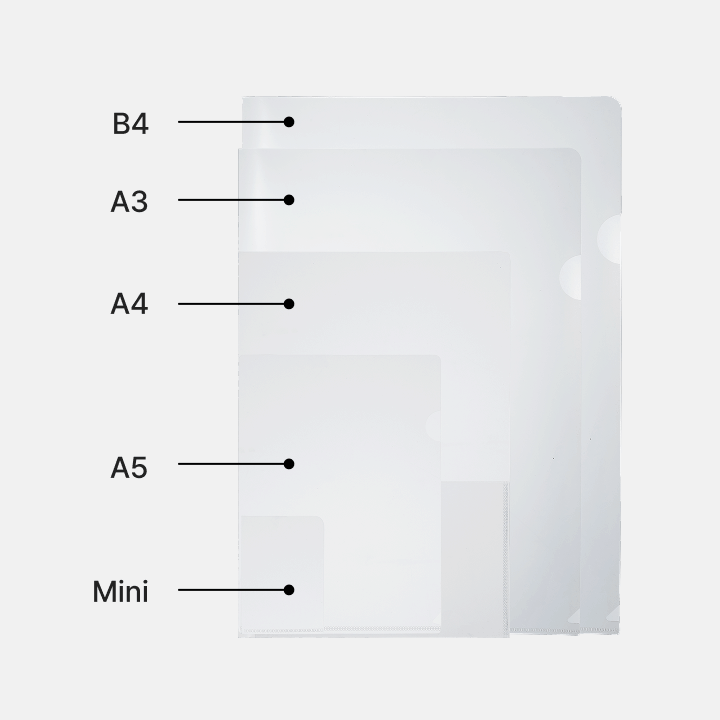
    Available in a variety of sizes, from mini sizes for photocards to B4.
    For A4, you can choose from different styles depending on your needs, including a standard L-folder, two-pocket folder, and index folder.

  • White Printing

    White Printing

    Applying white ink helps make colors and designs appear clearer and more defined.
    Without white printing, white areas remain transparent, allowing you to create a natural transparent (0.2T) or translucent (0.35T) effect depending on the thickness of the PP material.
    (PDF Orders: Select “White Ink” / Editor Orders: White ink is applied automatically.)

Size

Safety Area
Cutting Size
Working Size
Unit : mm
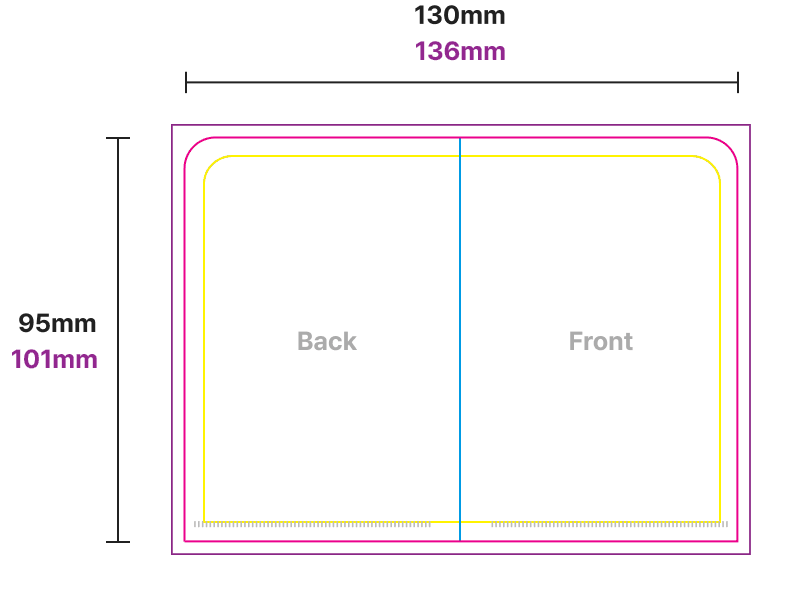
L-folder Mini size
Cutting Size Working Size Safety Area
130 × 95 136 × 101 120 × 85
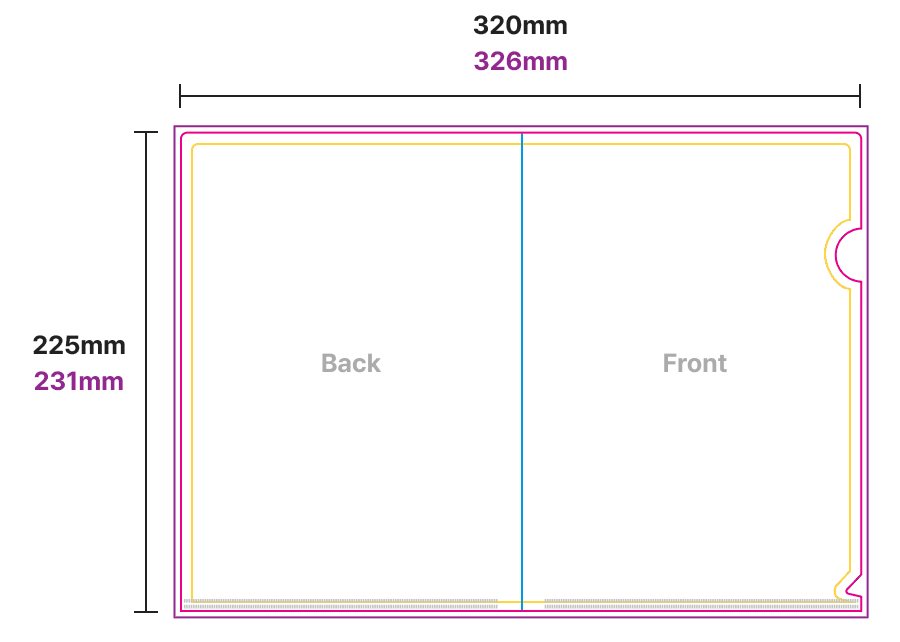
L-folder A5 size
Cutting Size Working Size Safety Area
320 × 225 326 × 231 310 × 215
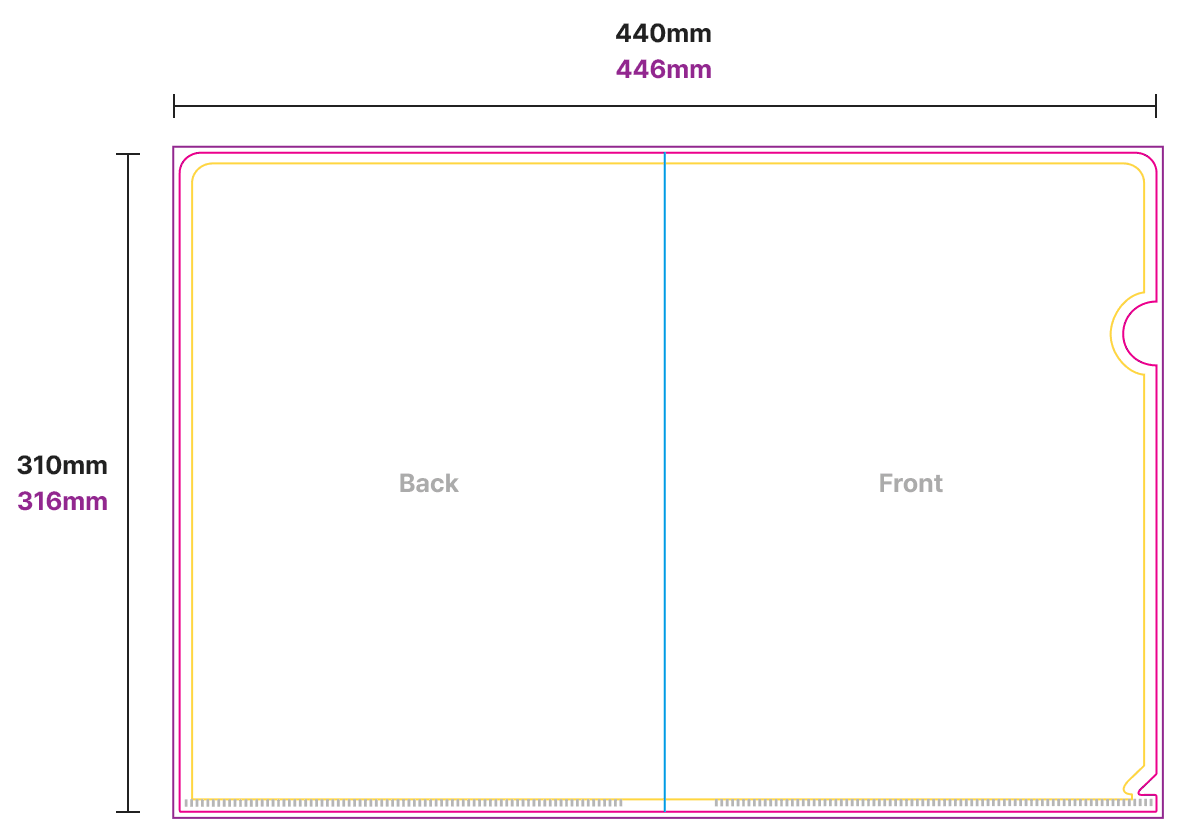
L-folder A4 size
Cutting Size Working Size Safety Area
440 × 310 446 × 316 430 × 300
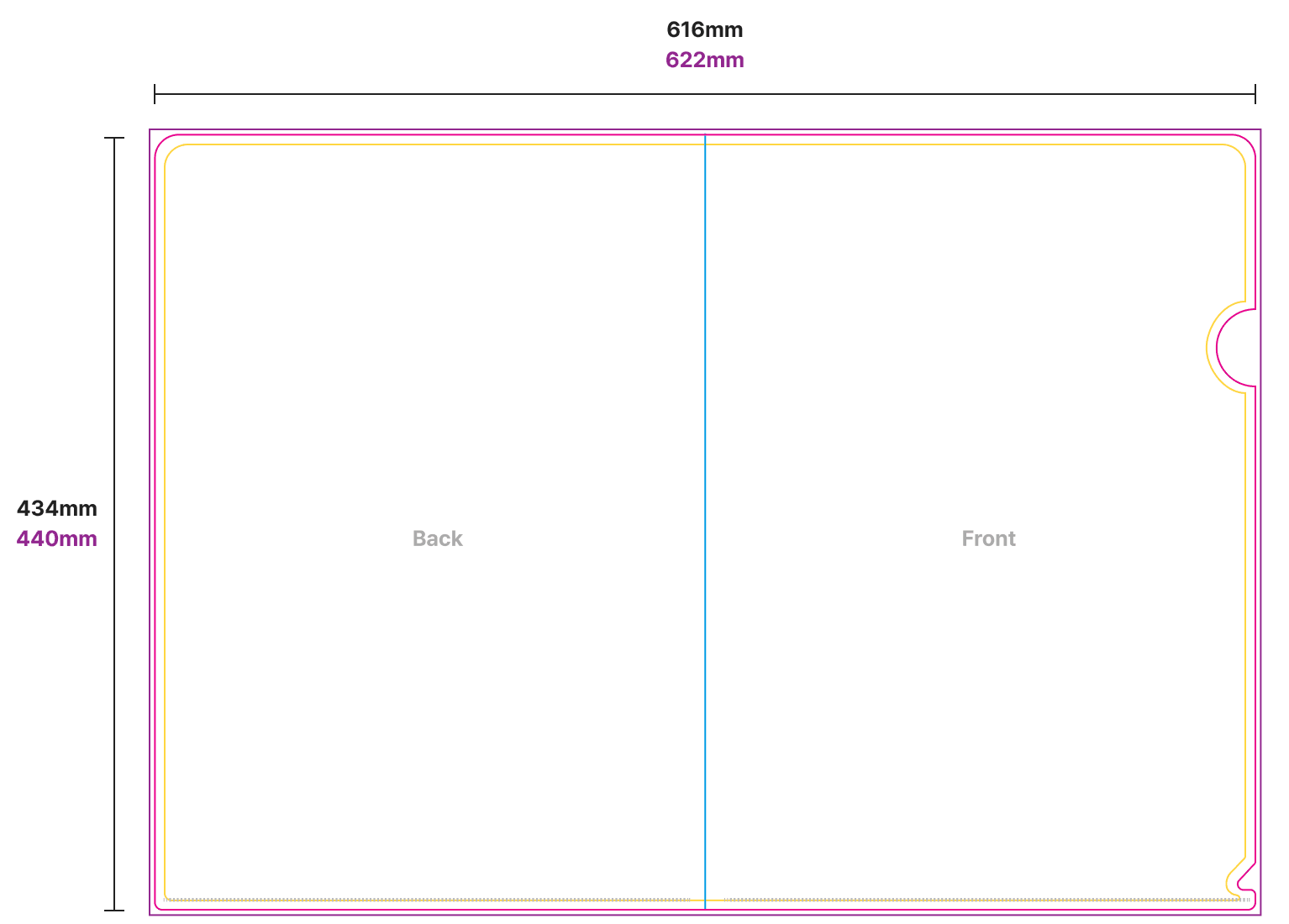
L-folder A3 size
Cutting Size Working Size Safety Area
616 × 434 622 × 440 606 × 424
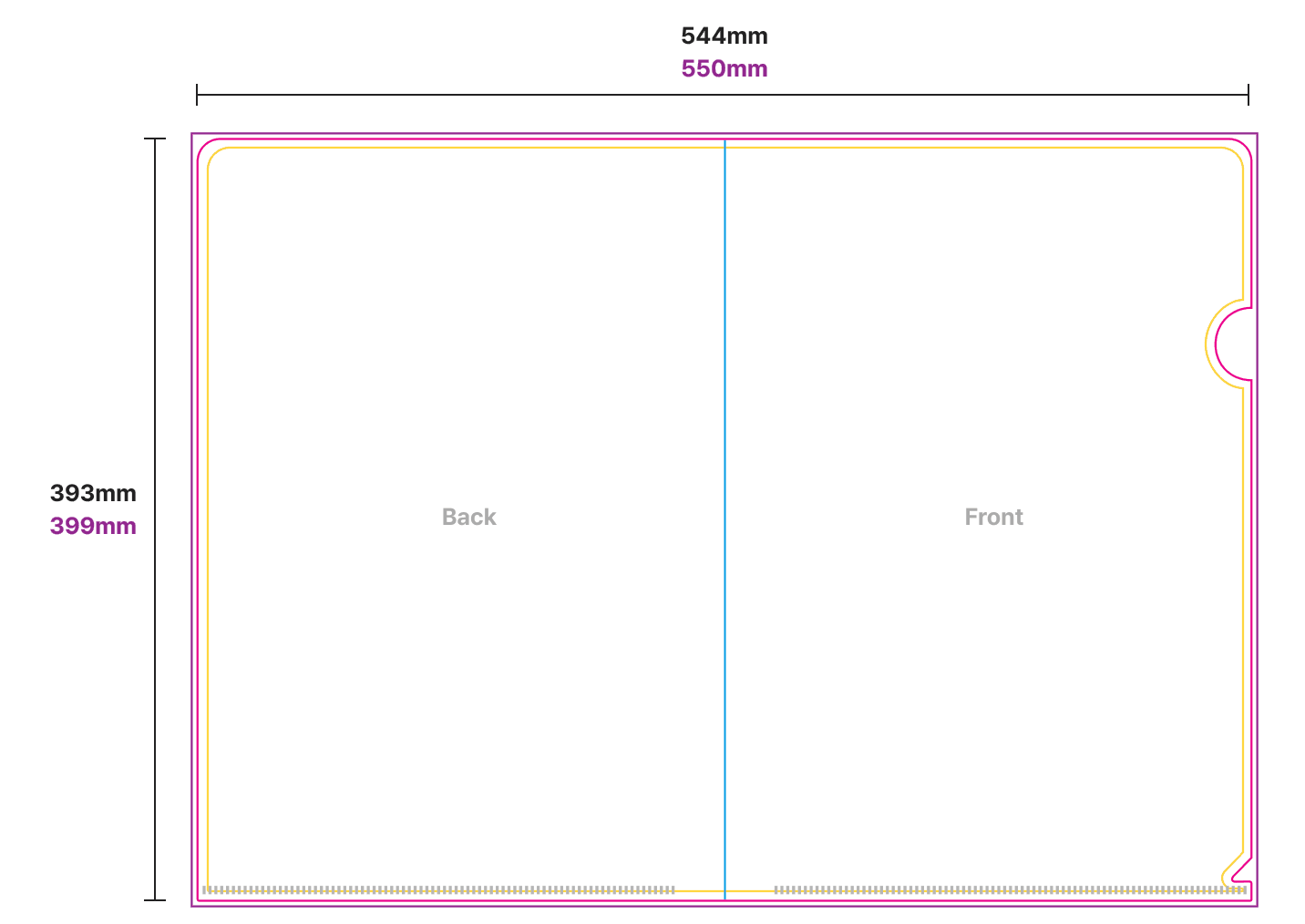
L-folder B4 size
Cutting Size Working Size Safety Area
544 × 393 550 × 399 534 × 383
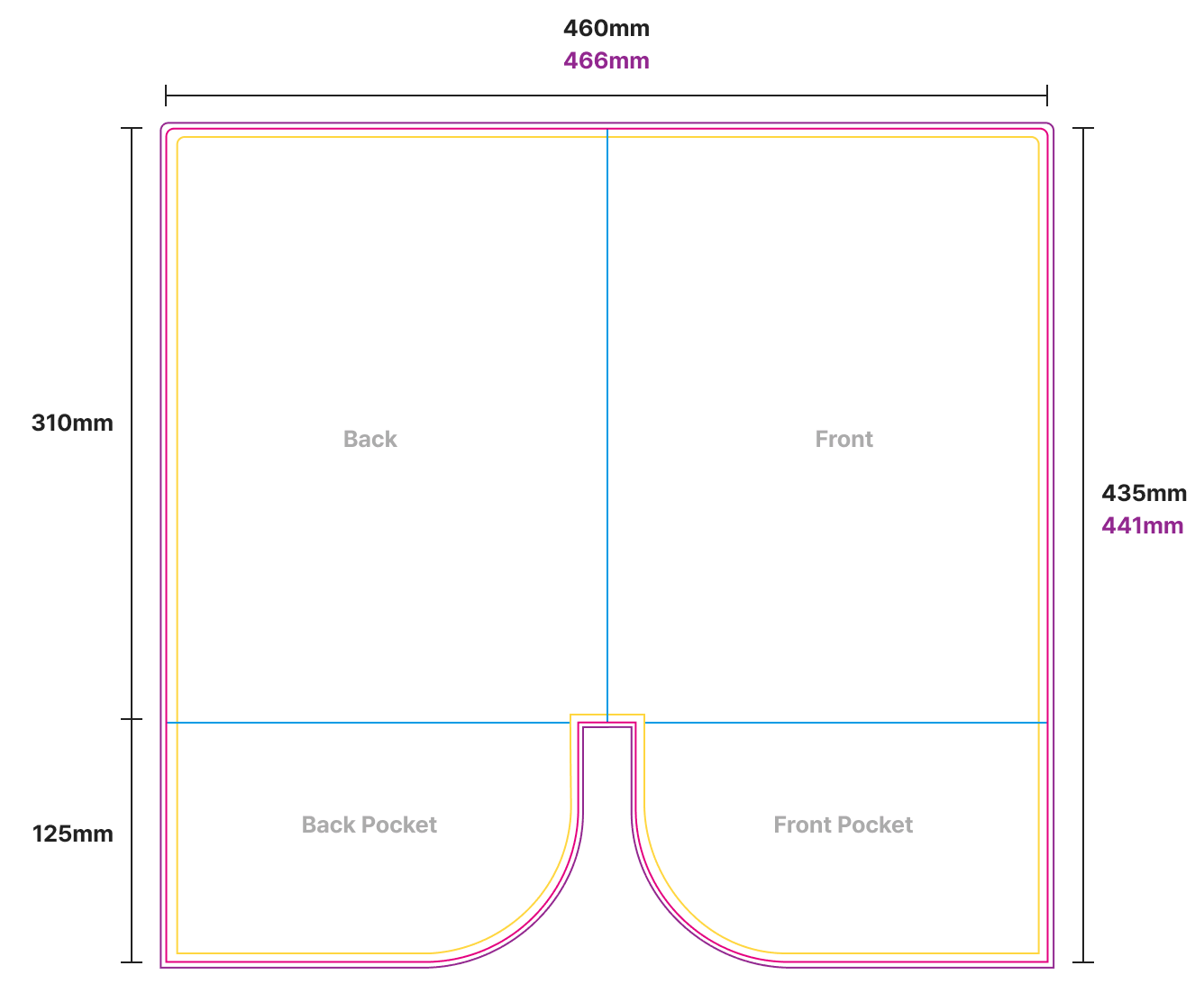
L-folder Two Pocket size
Cutting Size Working Size Safety Area
460 × 435 466 × 441 450 × 425
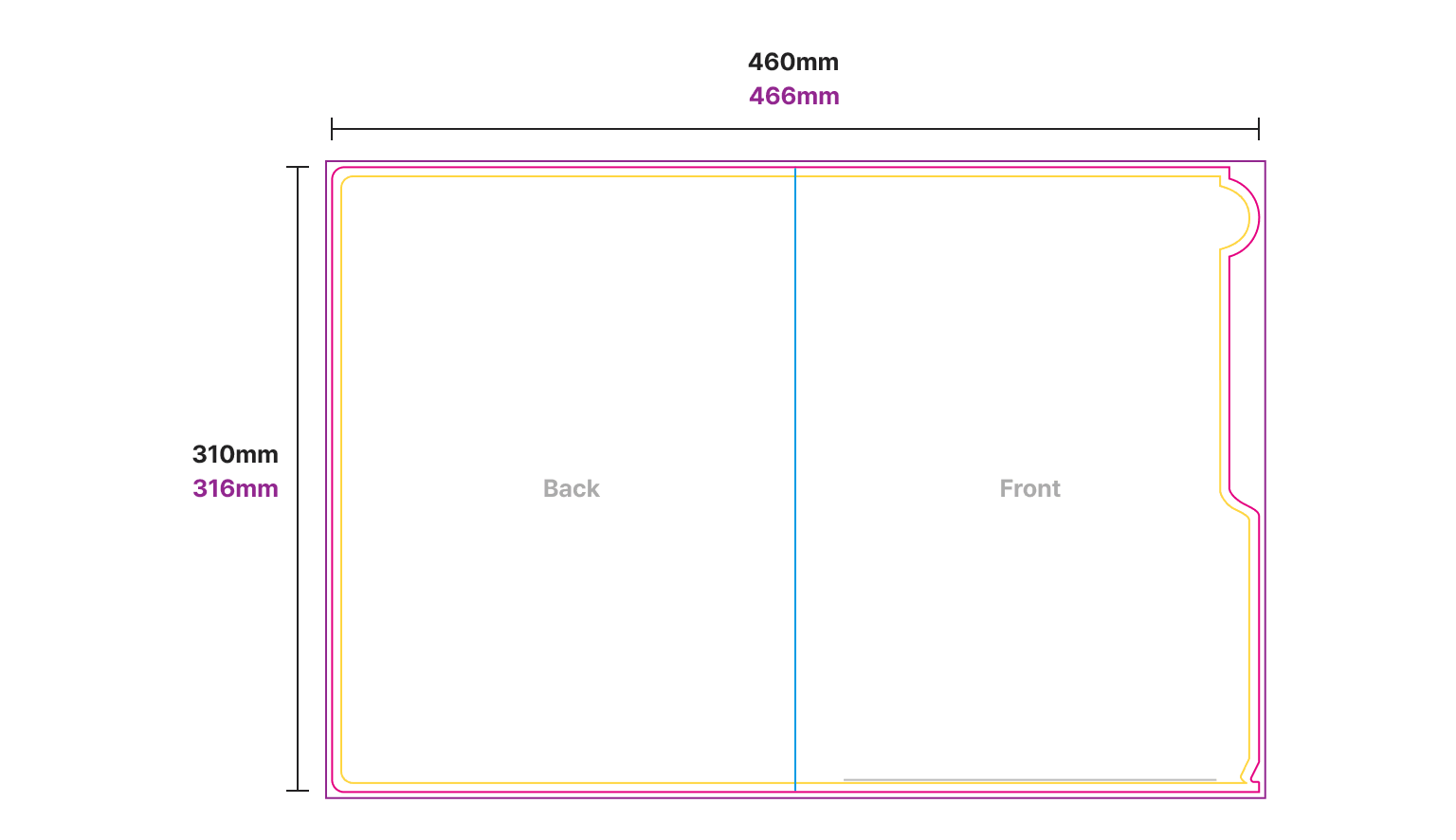
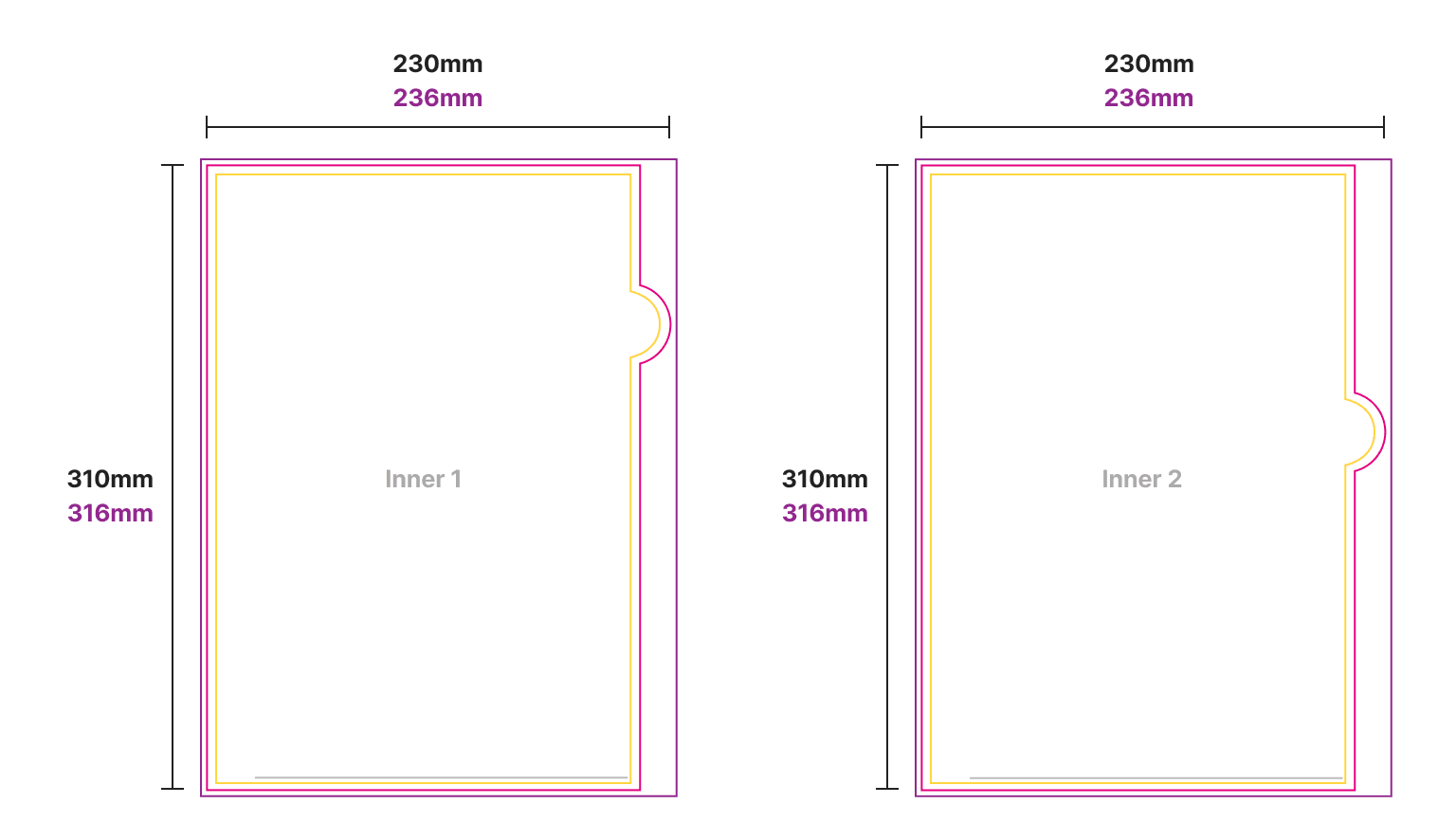
L-folder Index size L-folder Index inner size
Cutting Size Working Size Safety Area
Back, Front 460 × 310 466 × 316 450 × 300
Inner Sleeve 1, 2 230 x 310 236 x 316 220 x 300
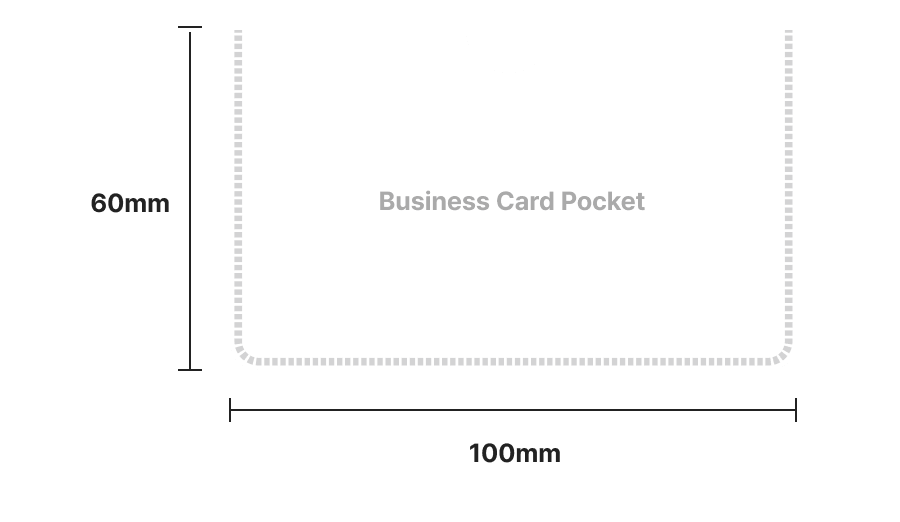
Business Card Pocket size

FINISHING INFO

Business Card Pocket

Business Card Pocket

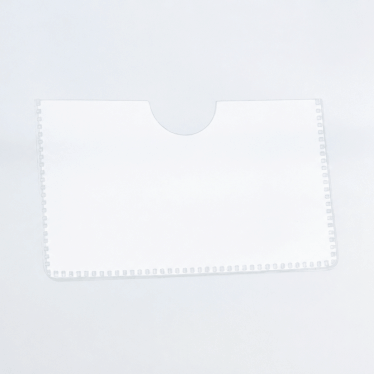
A 100 × 60 mm business card pocket is available as an optional add-on.

Shipping Fee Example

Unit: KRW(won)
Product Qty per Box Shipping Fee Example
500 pcs 1,000 pcs 2,000 pcs 3,000 pcs
Mini L Holder 2,000 pcs 3,500 7,000
A5 L Holder (0.2T) 1,000 pcs 3,500 7,000 10,500
A4 L Holder (0.2T) 500 pcs 3,500 7,000 14,000 21,000
A4 L Holder (0.25T) 500 pcs 3,500 7,000 14,000 21,000
A4 L Holder (0.35T) 250 pcs 7,000 14,000 28,000 42,000
A3 L Holder 250 pcs 7,000 14,000 28,000 42,000
B4 L Holder 250 pcs 7,000 14,000 28,000 42,000
A4 Two-Pocket Holder 250 pcs 7,000 14,000 28,000 42,000
A4 Index Holder (3-Tab) 250 pcs 7,000 14,000 28,000 42,000

* Cannot be combined with other products for shipping | Shipping fee: 3,500 per box
* Shipping method: Courier only (in-person pickup and quick delivery cannot be selected at checkout)
  If quick delivery is needed, pay via courier and contact customer service (fee varies by destination and quantity)
* Orders outside the above quantities are calculated using the same standard.

Data Production & Ordering

1. How To Create

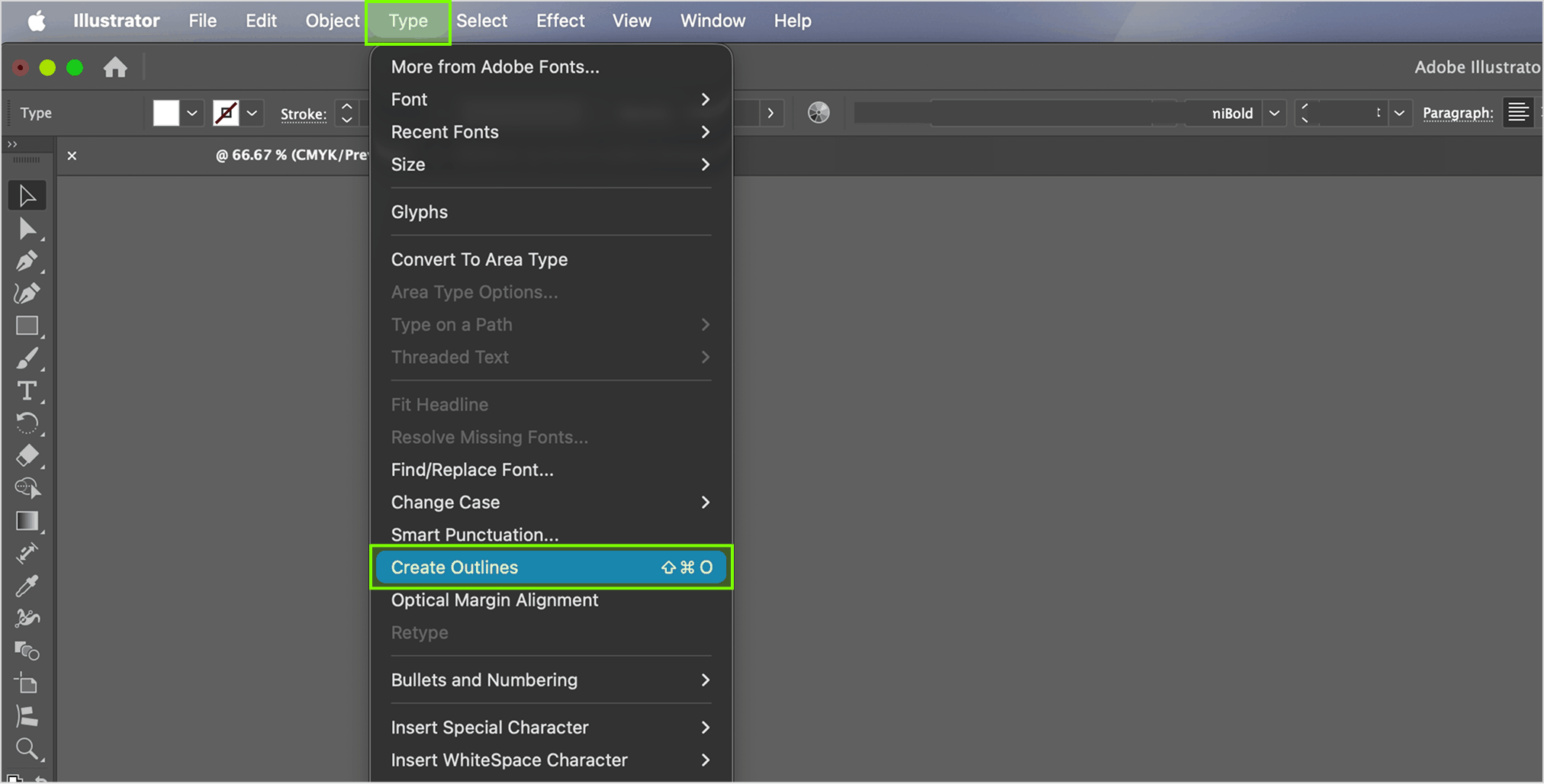
Place your artwork design into the Printing layer and adjust accordingly to our guidelines.
For content with fonts, please "Create Outline" in AI (Illustrator) before saving as PDF. Short Key: Ctrl(Command)+Shift+O

1. How To Create

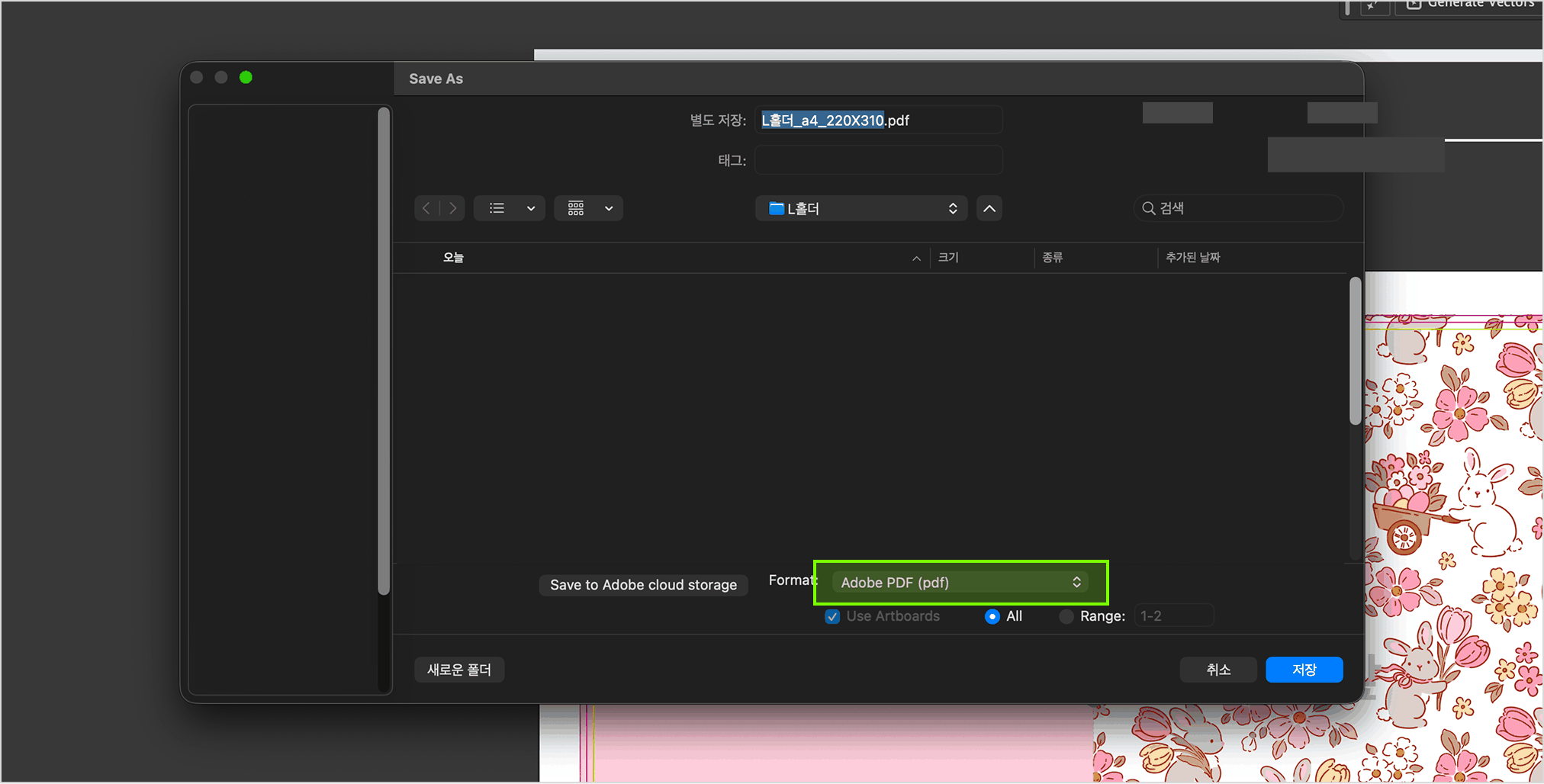
2. Save PDF

Click (Save As…) and save the file under Adobe PDF format.
+ more details

2. Save PDF

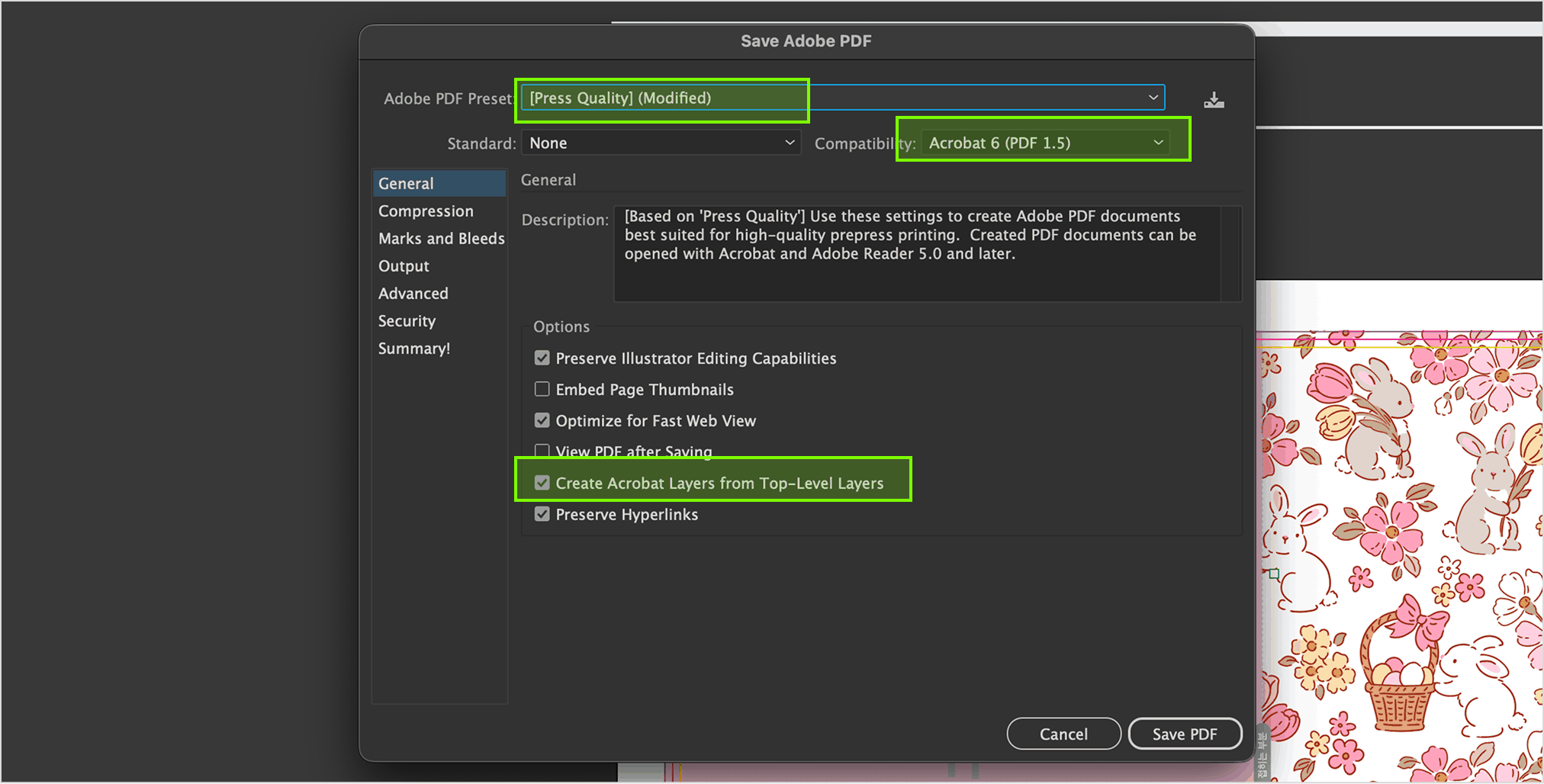
3. Save PDF

Ensure to select Press Quality > Acrobat 6 (PDF 1.5) or above >
Create Acrobat Layers from Top-Level Layers before saving a PDF file.

3. Save PDF

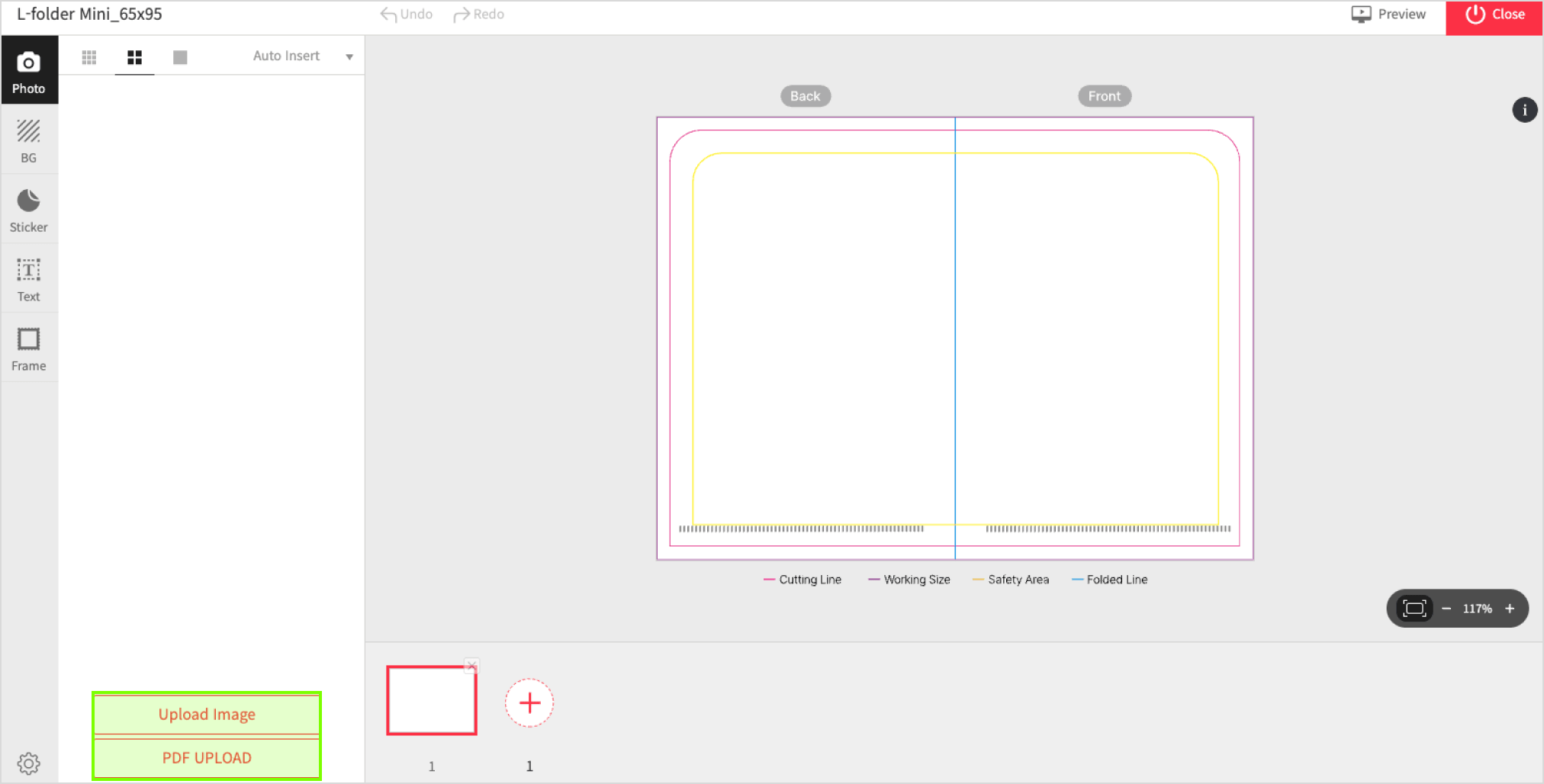
1. Import Image

To upload your image, click Import Image located at the bottom left of the editor.
(JPG/PNG file formats only)

1. Import Image

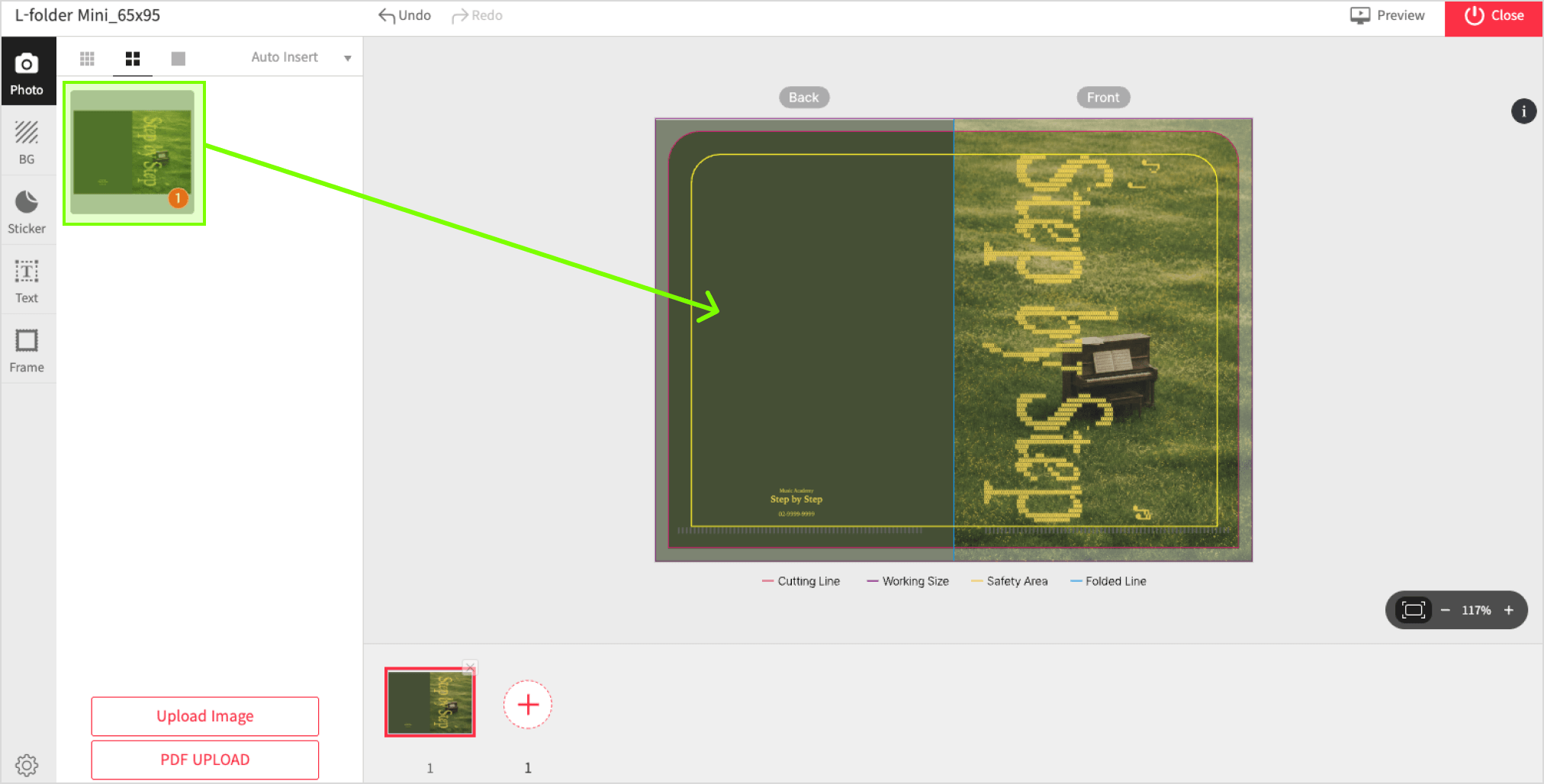
2. Apply Image

Click on the imported image located at the left panel to apply.
Scale/Position image by using click and drag motion on either 4 corners of the image.

2. Apply Image

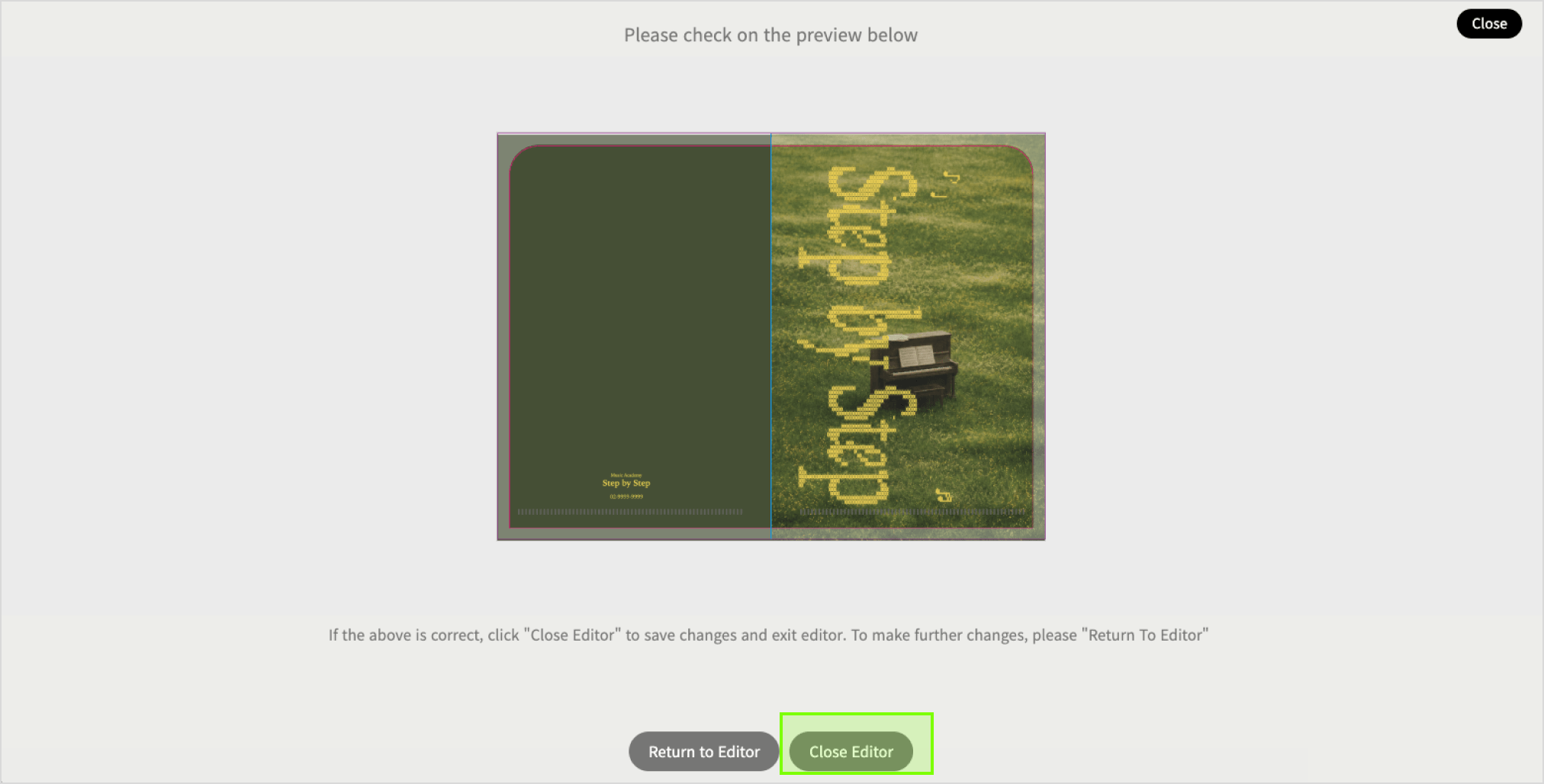
3. Edit Complete

Please check the Preview before saving and exiting the editor.
Click on Edit Complete at top right of editor to save changes.

3. Edit Complete

L-folder

Type L-folder, Two Pocket, Index Folder
Material PP

- A 1-2mm print/cut shift may occur during production. This is inevitable.

Goods exchange and return is applicable when:
- Complete refund or reproduction is applicable only if the final output is 100% different from the ordered item.
- When the product is unusable, refund and reproduction is applicable.
( Step 1 – photos verification, 2 step – product inspection. Please note that at least 80% of the returned product should be in good condition for us to bare the shipping fee of returned goods).

Goods exchange and refund is not applicable when
- Cancellation and refund is not applicable if printing files received without any problem and printing process completed smoothly.
- Mistake and typo related problems caused by users’ carelessness or misunderstanding of instructions and terms and conditions listed in both user and product guides.

Shipping Method

Delivery Method

· Parcel Delivery [Prepaid]
· QUICK Service [By Customer]
· DVER Quick [Prepaid - In-House]
· Freight Delivery [Large-Format]
· Self-Pick Up

Delivery Region

Local Shipping Only (Nationwide)

Delivery Fees

· Base Shipping: 3,500won (additional charges may incur depending on weight/bulkiness)
· Digital Prints over 50,000 won: FREE Shipping. (View Fees below for exceptions)
· Parcel & Quick Delivery: Additional charges may occur if order is too bulky or heavy.

Please click below for the detailed Shipping Fees guide.

View Fees


Delivery Details

· Orders will be produced and shipped after payment is completed.
· Delivery Timeline (est): 1-3 business days (excluding weekends & public holidays).
· For Express delivery, please select either QUICK [By Customer] or DVER Quick [Prepaid - In-House].
· QUICK is only available within Seoul and Gyeonggi-do.
· Multiple orders of the same shipping address can be bundled before orders are shipped out.
· Self-Pick Up & QUICK: SMS notifications will be separated with large-format items & other product categories.
· For Self-Collection, NO packaging boxes or envelopes will be provided. Please bring your own if needed.
· Foamboard/Foamex cannot be shipped to Jeju-do, rural islands or mountainous areas.
· Some large format items will be shipped via Logen Courier.